
Meetings
Turn a discussion into owned actions.
Open screen guide →Understand the work. Find the right screen. Check the result.
Back to CRMOpen a screen guide for numbered arrows, practical steps and result checks. Real screens use anonymized test data.
Turn a discussion into owned actions.
Open screen guide →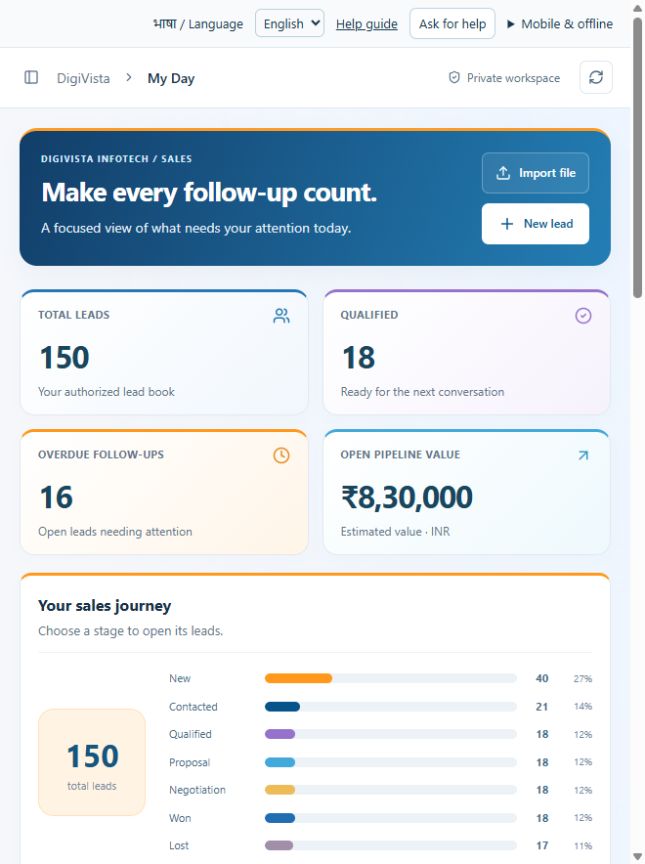
Start with the next action instead of checking every record.
Open screen guide →
Record the result and next step together from a phone.
Open screen guide →
Keep delivery planning, tasks and meetings together.
Open screen guide →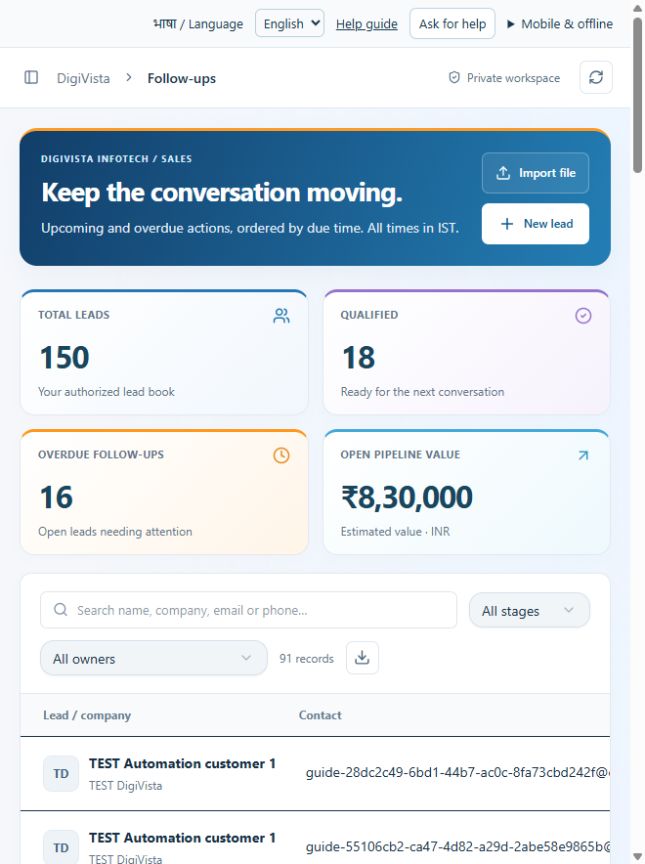
Work in due-date order and reduce missed conversations.
Open screen guide →
See meetings, deadlines and follow-ups in one schedule.
Open screen guide →
Give each task a clear accountable person.
Open screen guide →
Maintain one searchable lead book.
Open screen guide →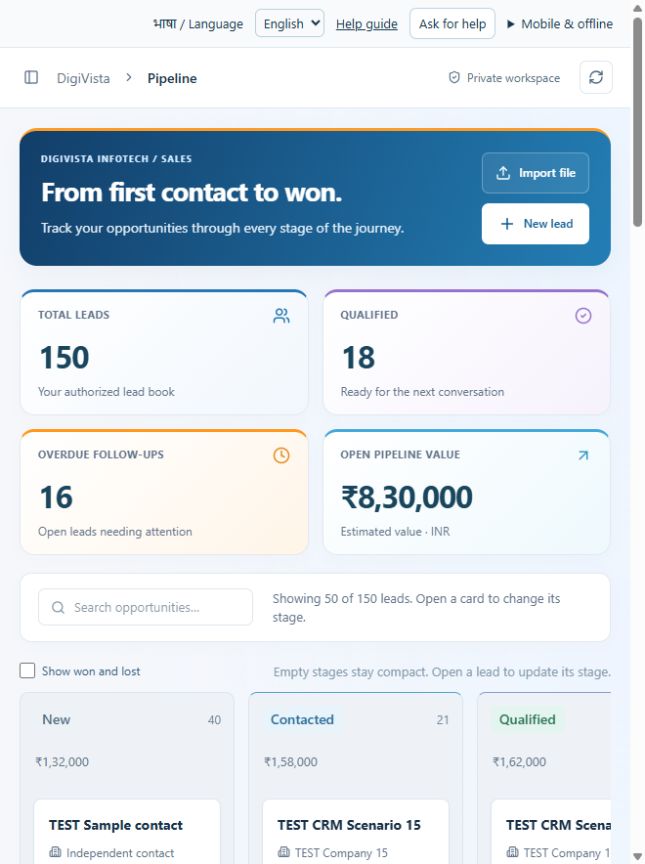
See where conversations are progressing or stuck.
Open screen guide →
Understand the next step in the sales journey.
Open screen guide →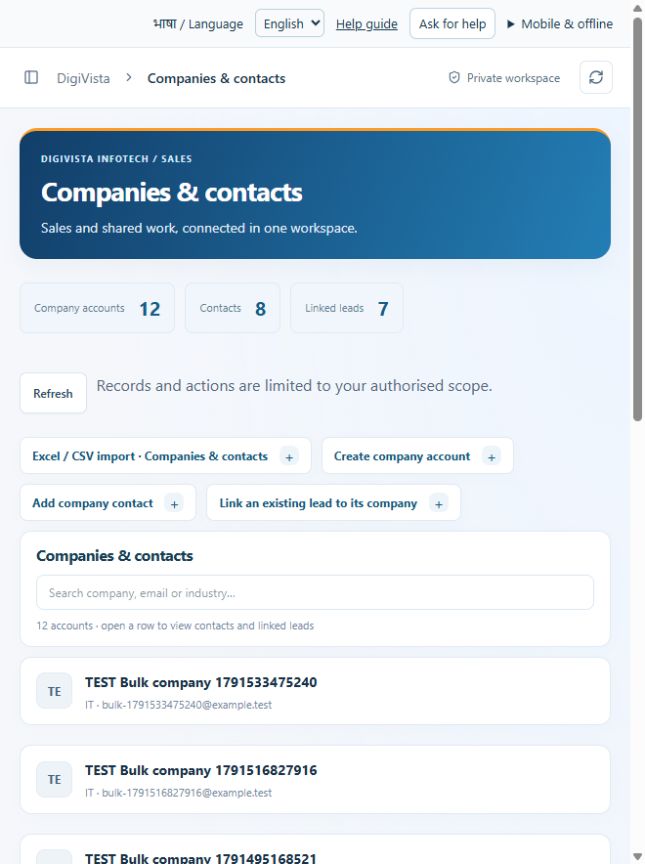
Reuse company and contact details across sales work.
Open screen guide →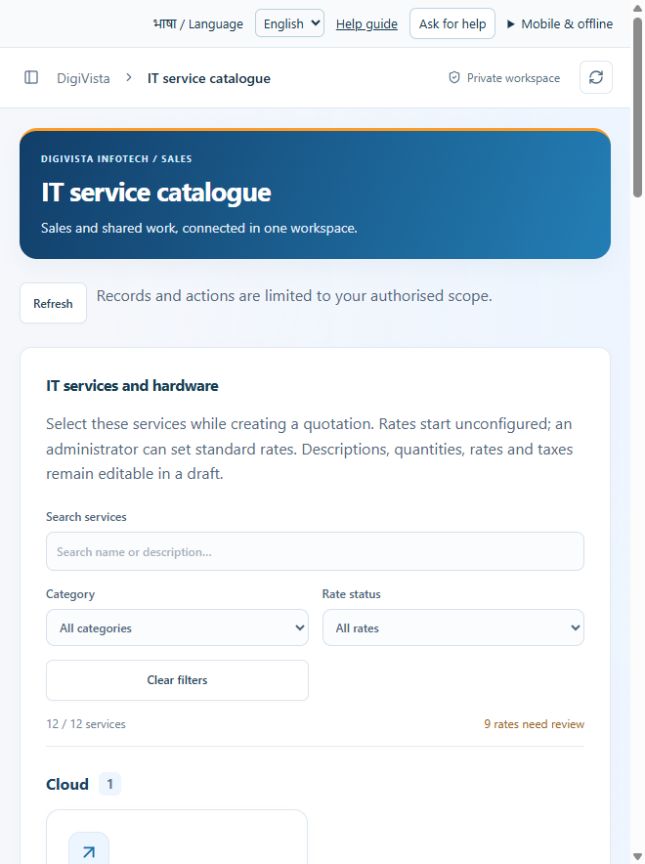
Reuse standard descriptions, rates and service scope.
Open screen guide →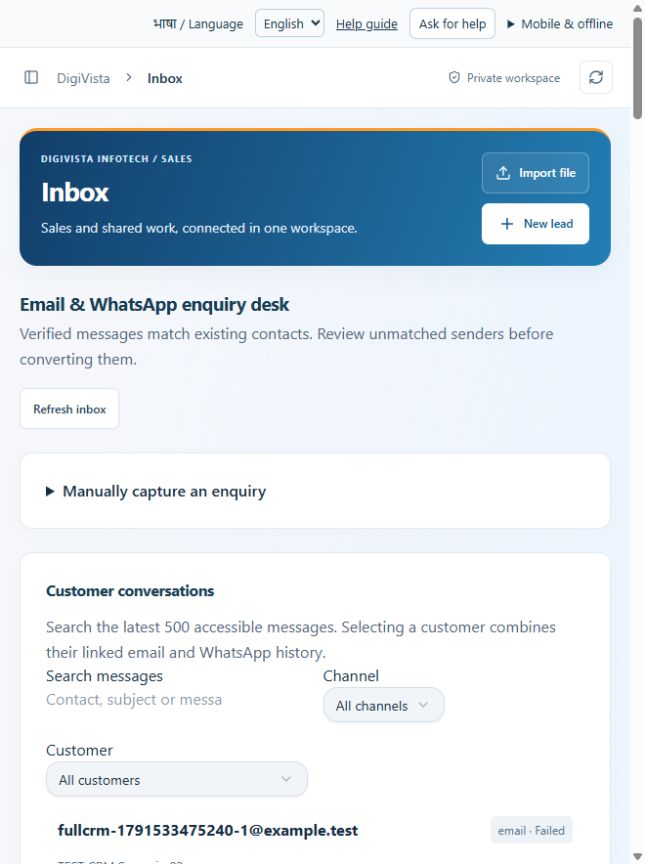
Review incoming enquiries before creating leads.
Open screen guide →
Maintain a reliable recorded conversation history.
Open screen guide →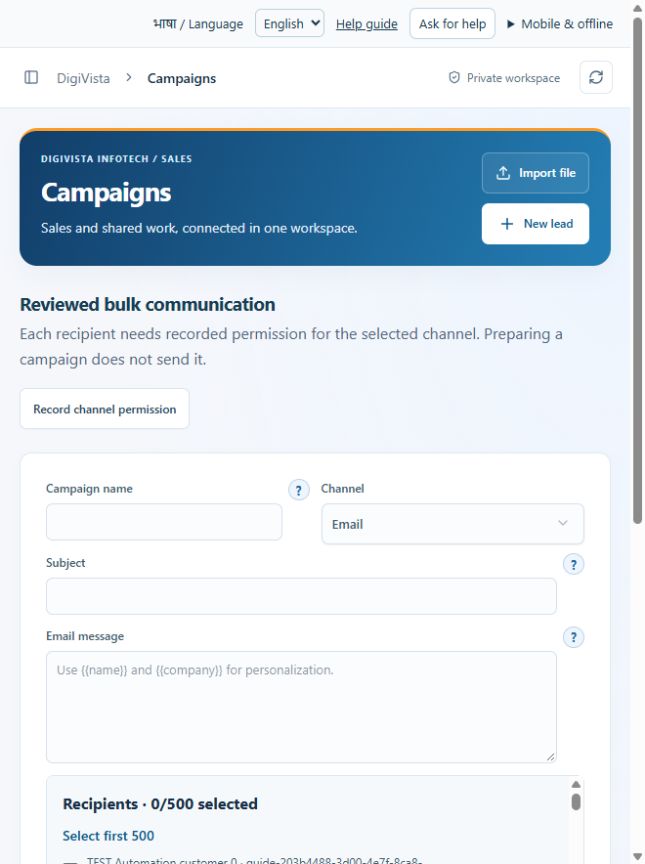
Prepare an audience and message with exclusions reviewed.
Open screen guide →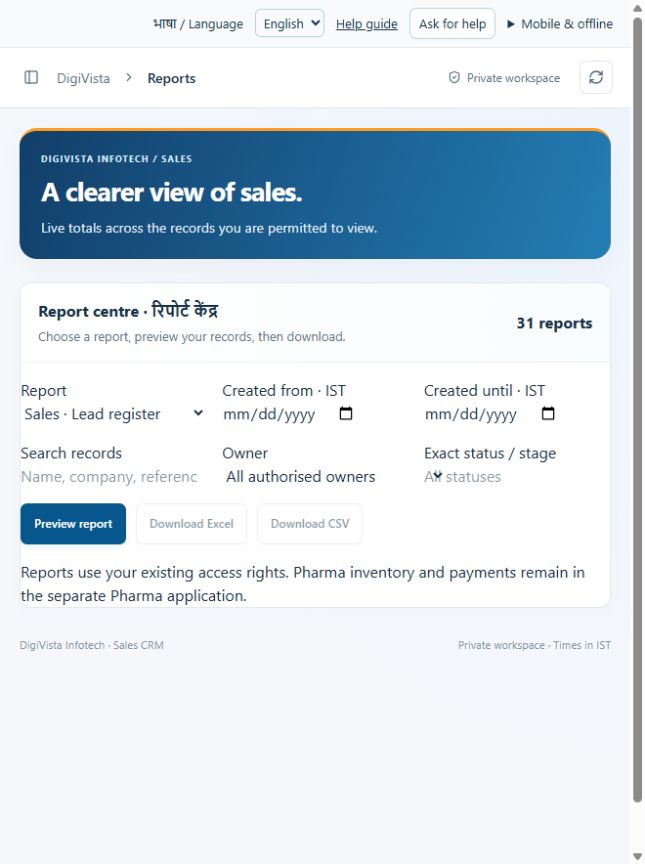
Download a filtered view instead of compiling spreadsheets manually.
Open screen guide →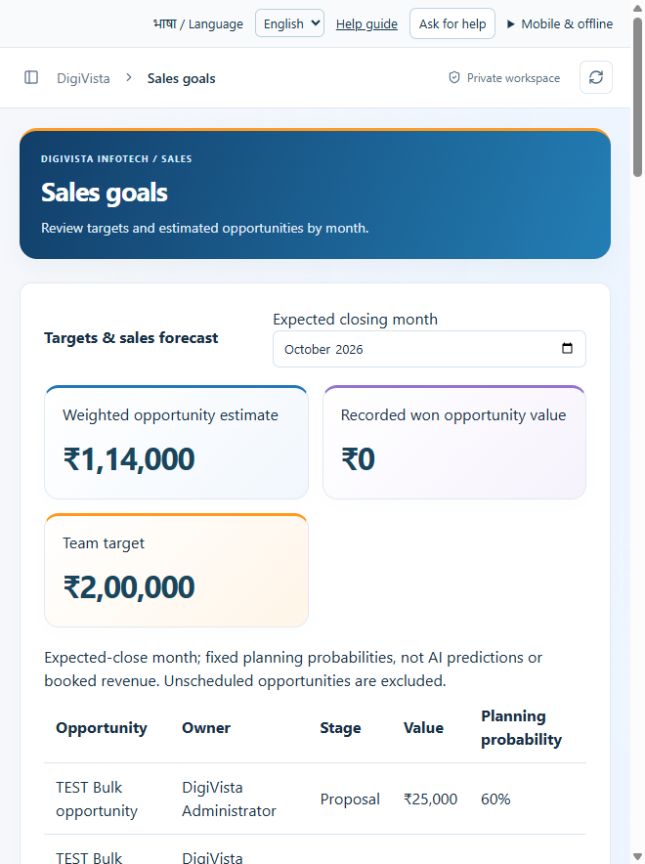
Compare planning targets with weighted opportunities.
Open screen guide →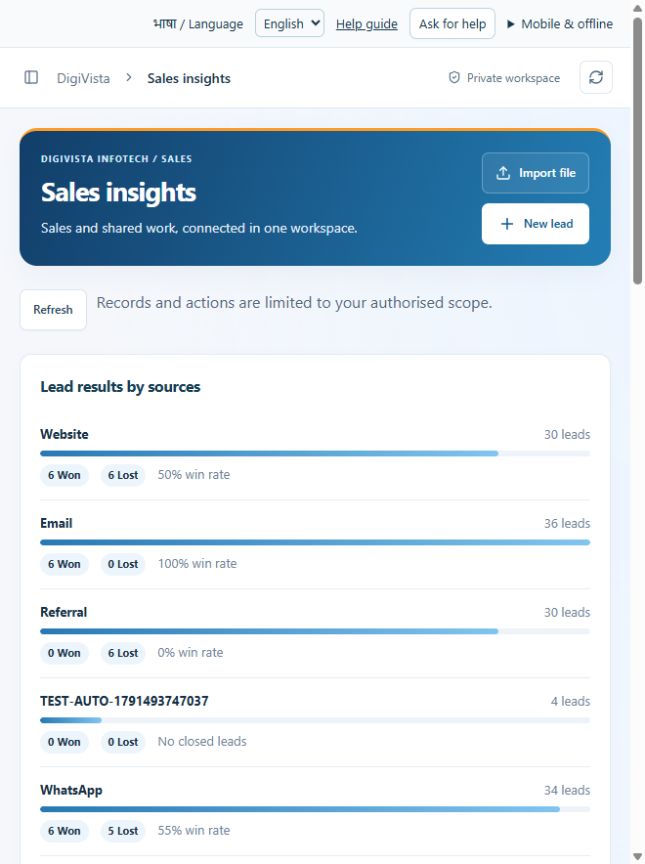
Understand which sources and industries produce results.
Open screen guide →
Migrate and update records through a reviewed file.
Open screen guide →
Allocate several leads with one reviewed action.
Open screen guide →
Manage data requests and access with a traceable review.
Open screen guide →
Distinguish company details from active provider connections.
Open screen guide →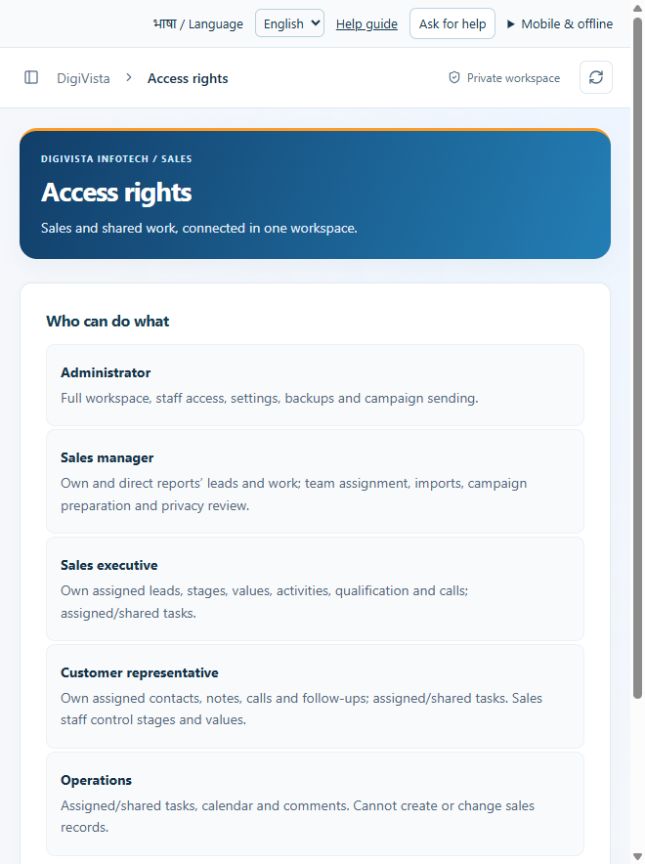
Know which role can perform each activity.
Open screen guide →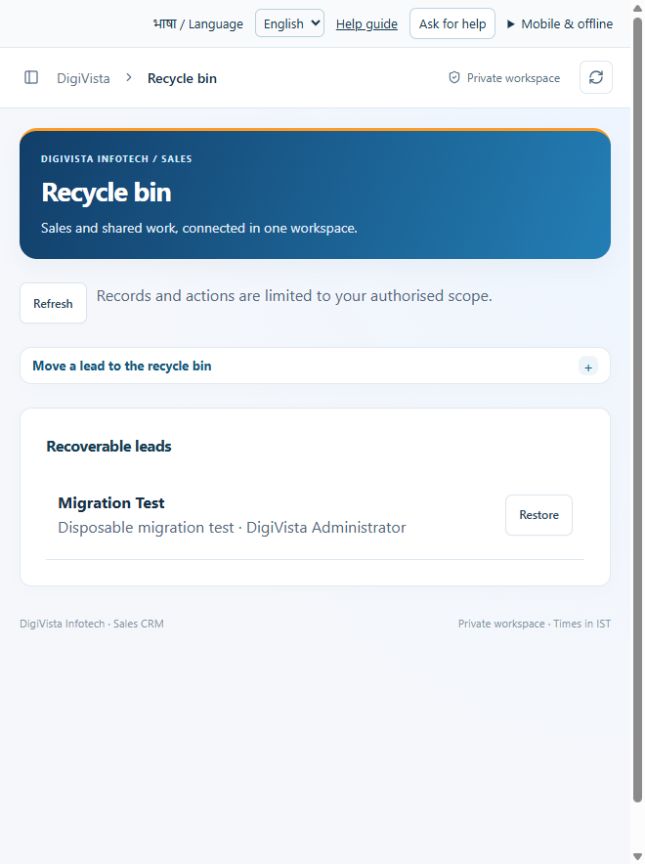
Recover supported leads after a reviewed removal.
Open screen guide →
Maintain standard quotation data in a single place.
Open screen guide →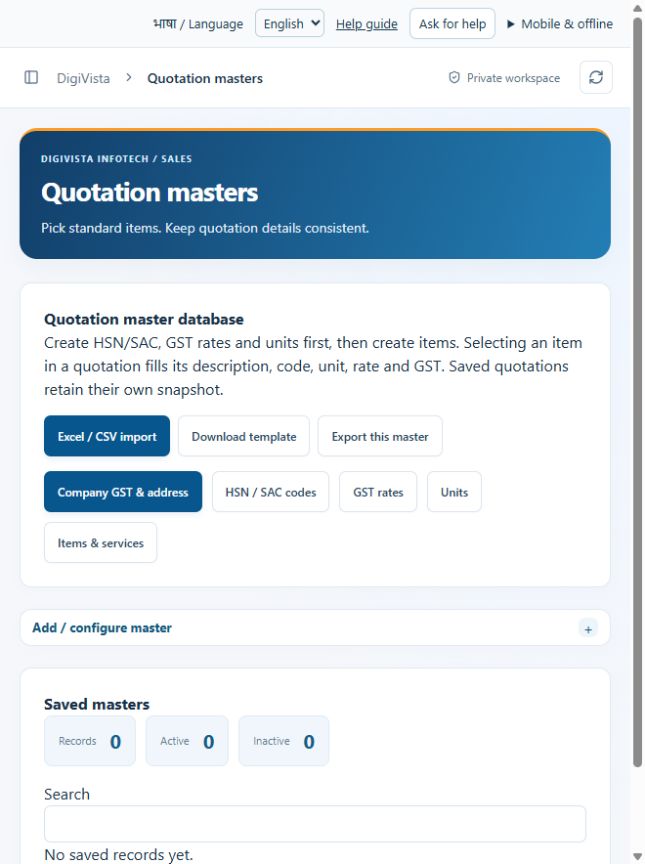
Reuse the correct seller identity on quotations.
Open screen guide →
Select a configured goods/service code rather than retyping it.
Open screen guide →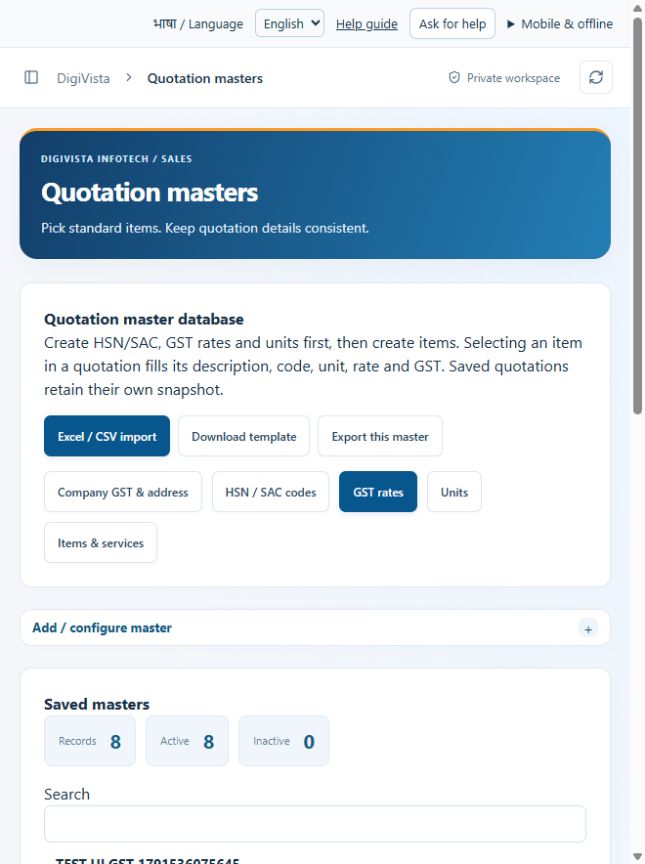
Keep item tax selections consistent.
Open screen guide →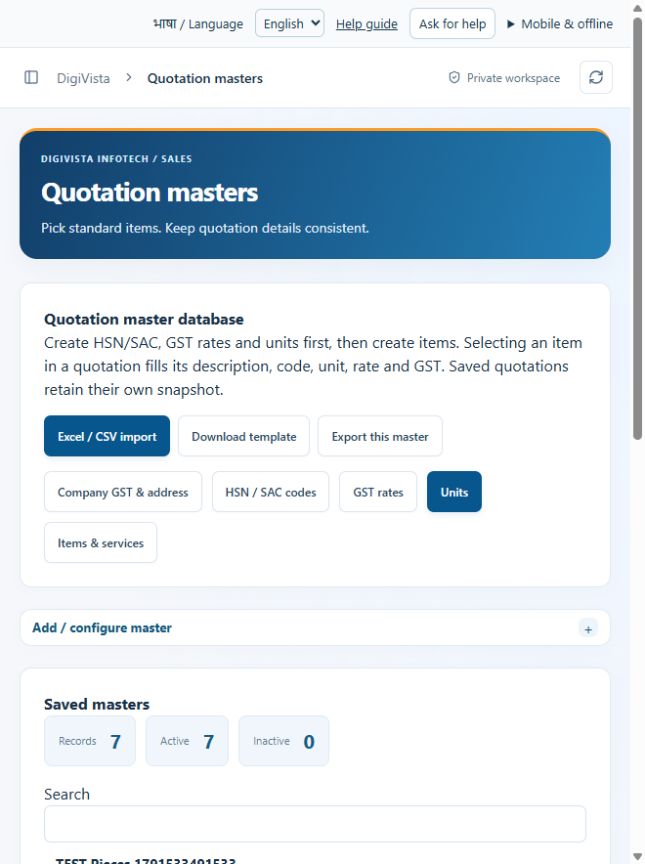
Use consistent quantity units on commercial documents.
Open screen guide →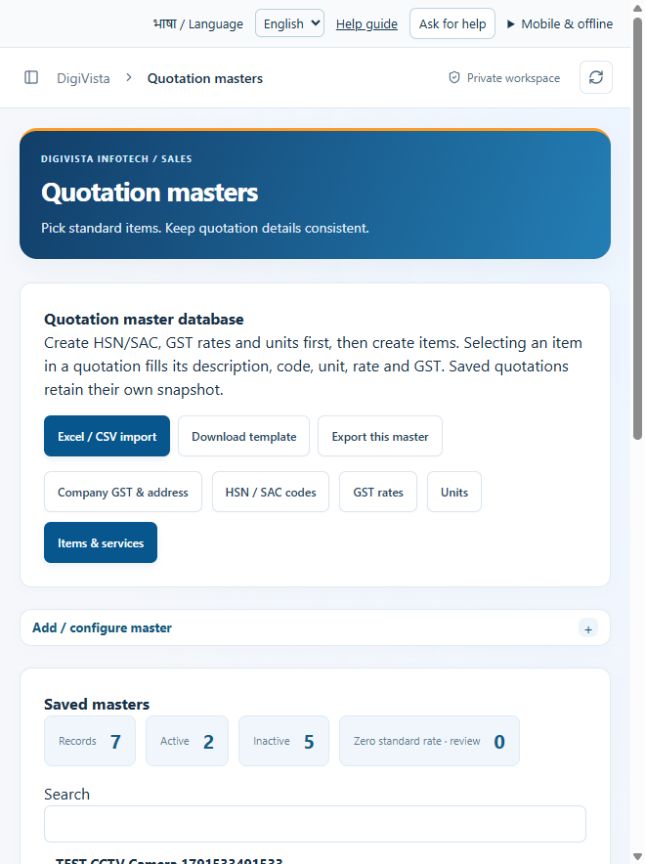
Fill quotation line details from the item database.
Open screen guide →
Keep industry details out of the basic lead form.
Open screen guide →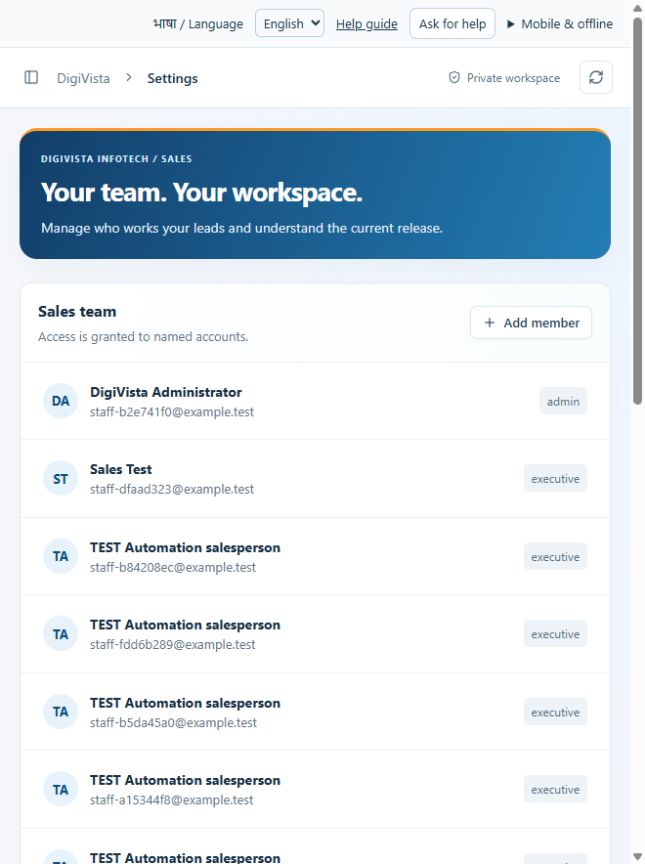
Maintain a named staff roster with appropriate roles.
Open screen guide →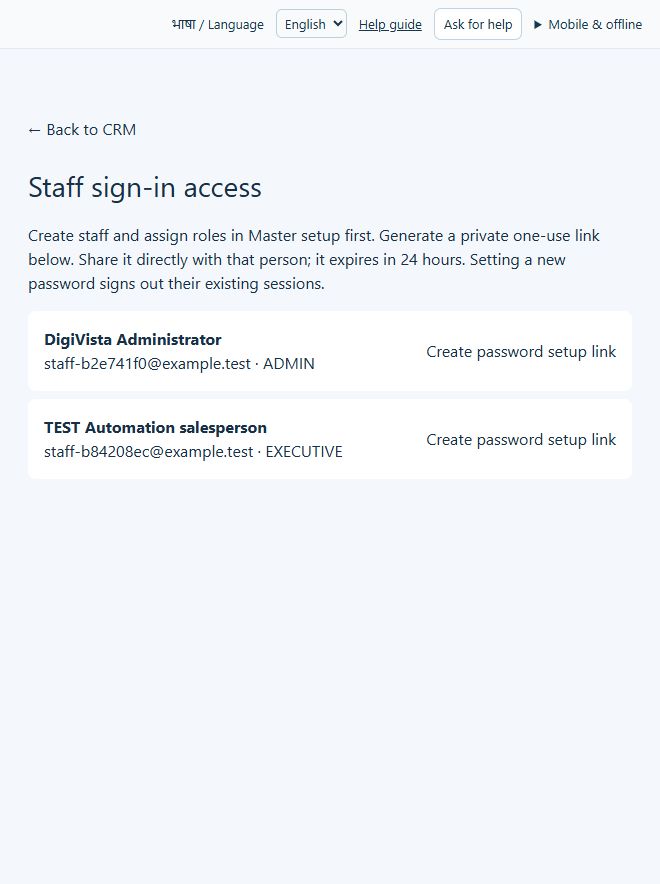
Give approved staff a private password-setup route.
Open screen guide →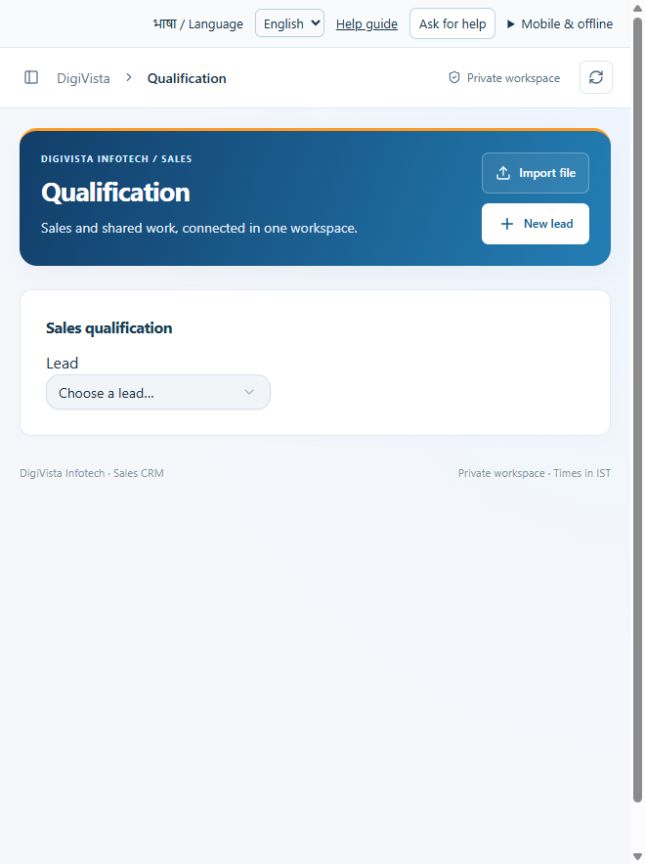
Keep requirements and commercial context before quoting.
Open screen guide →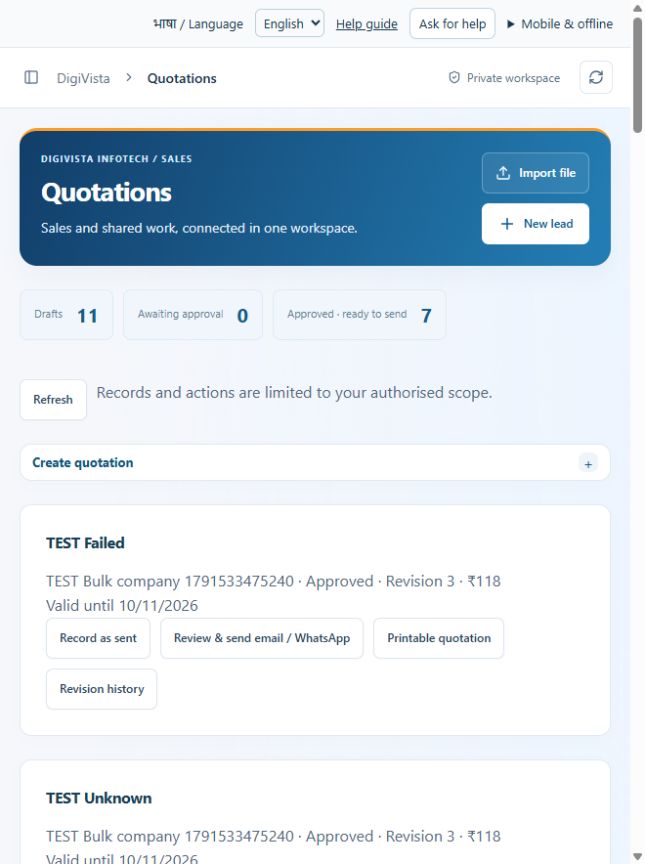
Create a consistent quotation using saved masters.
Open screen guide →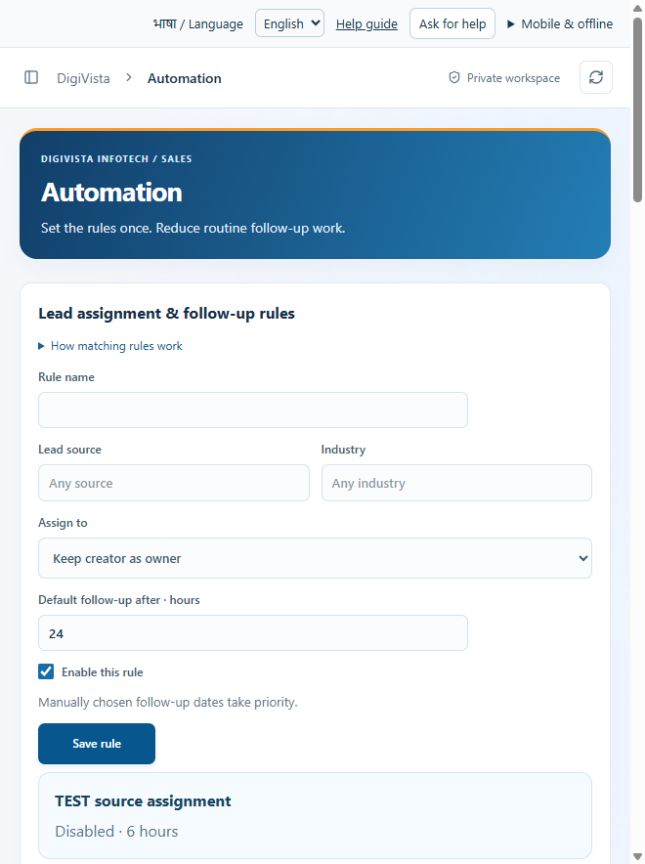
Reduce repeated assignment and reminder work.
Open screen guide →
Record repeat business without duplicating the customer.
Open screen guide →
Find every master configuration from one hub.
Open screen guide →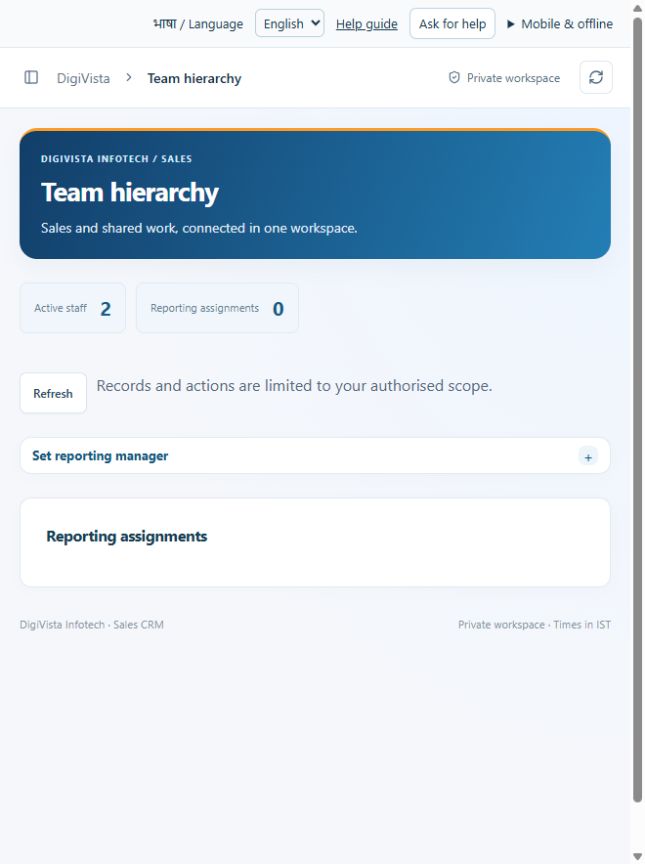
Give managers the intended reporting scope.
Open screen guide →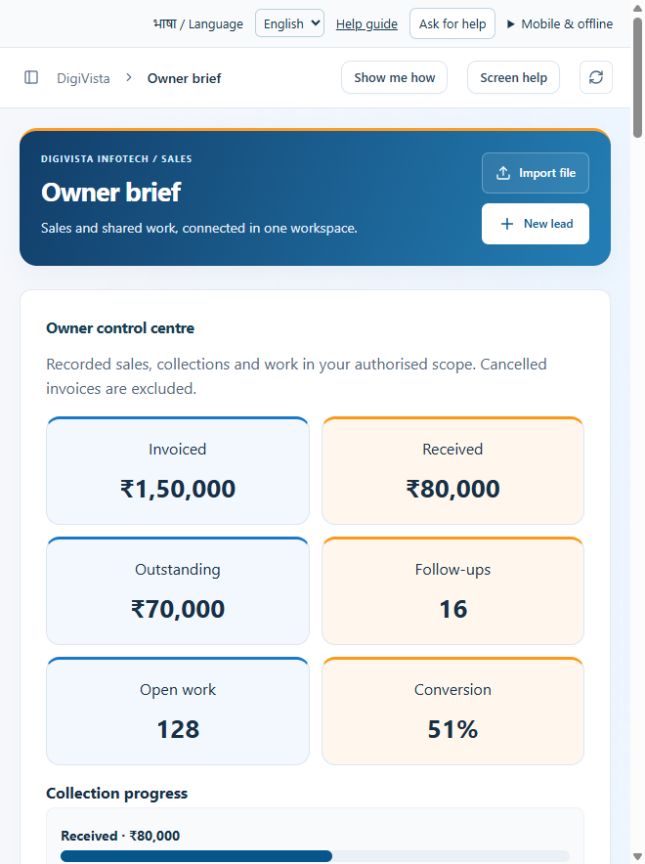
Focus the company review on exceptions needing decisions.
Open screen guide →
See payment balances without entering invoices twice.
Open screen guide →DigiVista Sales CRM manages enquiries, leads, customer accounts, sales opportunities, quotations and shared work. Use a named staff account with the minimum access required. Before company-wide rollout verify staff permissions, backups and restoration, and each provider connection. A deployed screen does not prove an external integration is active.
DigiVista CRM में लीड, ग्राहक, कोटेशन और टीम का काम सँभालें। हर कर्मचारी का अलग login और जरूरी अनुमति रखें। पूरी टीम शुरू करने से पहले permissions, backup restoration और provider connections जाँचें। स्क्रीन उपलब्ध होने से integration चालू होना साबित नहीं होता।
Choose English or हिन्दी in the top bar. The setting is remembered on this browser. Use the sidebar to select a module; on a small screen open its menu first. Labels change language; customer names, descriptions and entered notes remain as written. Standard service descriptions can be edited into the customer’s preferred language. Technical identifiers and provider diagnostic messages may remain English.
ऊपर English या हिन्दी चुनें। ब्राउज़र आपका चयन याद रखेगा। बाएँ मेनू से काम चुनें; मोबाइल पर पहले मेनू खोलें। नाम, ग्राहक का विवरण और आपकी लिखी टिप्पणियाँ उसी भाषा में रहेंगी। कोटेशन का विवरण ग्राहक की भाषा में बदल सकते हैं। कुछ तकनीकी कोड और दूसरे ऐप की त्रुटियाँ अंग्रेज़ी में हो सकती हैं।
Administrator: review staff roles and reporting managers, configure company communication details, set agreed catalogue rates/taxes, create company accounts and import a small reviewed lead file. Sales staff: add one real enquiry, set owner and next follow-up, log the conversation, qualify it and create an opportunity. Manager: check the Owner brief and approve a sample quotation. Complete a backup and test restoration separately before rollout.
एडमिन पहले कर्मचारी, मैनेजर, कंपनी का ईमेल और फोन जाँचें। सेवाओं की कीमत और टैक्स भरें। कंपनी खाता बनाएँ और छोटी लीड फ़ाइल आयात करके देखें। सेल्स कर्मचारी एक लीड जोड़ें, अगला संपर्क तय करें और बातचीत दर्ज करें। मैनेजर रोज़ का सारांश और एक नमूना कोटेशन जाँचें। शुरू करने से पहले बैकअप से डेटा वापस लाने का परीक्षण करें।
ADMIN manages the workspace and company-wide records. MANAGER sees own and directly reporting sales records; may import, allocate and approve quotes within scope. EXECUTIVE works assigned sales records and quotation drafts. CUSTOMER_REP handles assigned contact activity and calls, with restricted sales changes. OPERATIONS works assigned shared tasks and comments. A collaborator/reviewer can access an assigned task without receiving unrestricted customer access. Staff membership does not itself grant hosting sign-in. Never share an administrator account.
एडमिन पूरे सीआरएम का काम सँभालता है। मैनेजर अपने और सीधे रिपोर्ट करने वाली टीम के रिकॉर्ड देखता है; वह अपनी सीमा में लीड बाँट और कोटेशन मंज़ूर कर सकता है। सेल्स कर्मचारी अपनी लीड और कोटेशन पर काम करता है। ग्राहक सहायता कर्मचारी कॉल और बातचीत दर्ज करता है। ऑपरेशन कर्मचारी दिए गए कार्य और टिप्पणियाँ सँभालता है। किसी काम में मदद की अनुमति मिलने से सभी ग्राहक रिकॉर्ड नहीं मिलते। कर्मचारी जोड़ने के बाद उसका लाइव लॉगिन भी चालू करना होगा। एडमिन लॉगिन साझा न करें।
My Day shows next actions and overdue open leads. Owner brief summarises new leads, overdue follow-ups, logged calls, task exceptions and team workload in the signed-in user’s authorised scope. Open an exception to assign a next step. Totals describe recorded work; unlogged calls or effort are unknown. Open screens refresh periodically. Scheduled background delivery requires a configured job runner and is not active merely because a brief time is saved.
आज का काम में देखें कि किससे संपर्क करना है और किसकी तारीख निकल गई है। मालिक के सारांश में नई लीड, पुराने संपर्क, दर्ज कॉल, रुका काम और टीम का काम दिखता है। समस्या खोलें और अगला कदम तय करें। जो काम दर्ज नहीं हुआ है, सीआरएम उसे नहीं जानता। खुली स्क्रीन अपने-आप ताज़ा होती है। रोज़ का संदेश अपने-आप भेजने के लिए अलग सेटअप चाहिए; सिर्फ समय भरने से संदेश नहीं जाएगा।
Select Add lead / Create lead. Enter contact name and at least email or an international phone number. Choose company, industry, source, owner, stage and notes. New leads suggest a next-day follow-up. Review the date before saving. A permission claim needs evidence; an incoming enquiry does not automatically permit marketing. Open a lead to edit or log activity. Dates entered on the device are shown in IST in the CRM.
लीड जोड़ें दबाएँ। नाम और ईमेल या देश कोड सहित फोन भरें। कंपनी, सेवा, लीड कहाँ से आई, ज़िम्मेदार व्यक्ति और अगला संपर्क तय करें। नई लीड पर अगले दिन का संपर्क सुझाया जाता है; सही तारीख जाँचकर सहेजें। ग्राहक की मार्केटिंग अनुमति का प्रमाण रखें। पूछताछ आने से अपने-आप अनुमति नहीं मिलती। लीड खोलकर विवरण या बातचीत दर्ज करें। सीआरएम समय भारतीय समय में दिखाता है।
Email is normalised and phone numbers checked on every write. Exact contact identities prevent duplicate leads within this workspace; this is not fuzzy matching of similar names. A changed record version blocks a stale save: refresh, review the latest record and reapply only the intended change. Merge is a manager-reviewed action retaining activities/contact aliases. Permission is not silently copied. Similar company names never silently merge accounts.
सीआरएम हर बार ईमेल और फोन जाँचता है, ताकि वही संपर्क दोबारा न बने। मिलते-जुलते नाम को वह अपने-आप एक नहीं मानता। किसी और ने रिकॉर्ड बदल दिया हो, तो पहले ताज़ा रिकॉर्ड देखें, फिर अपना बदलाव करें। दो लीड जोड़ने से पहले मैनेजर दोनों जाँचता है। पुरानी गतिविधि और संपर्क पहचान बचती है; मार्केटिंग अनुमति अपने-आप नहीं जुड़ती।
Download the import template. Remove sample rows, keep the first row as column headings, enter international phones such as +919871605170 and review your source/evidence. Upload .xlsx or .csv, maximum 50 MB and 300,000 data rows per worksheet. Map each column once, review matching contacts and choose the intended import behaviour, then confirm. Download and inspect row outcomes. Failed rows must be corrected and re-imported. Blank update fields preserve saved values; imports do not change existing owners or contact permission. Only admins/managers import. Macros are not accepted.
एक्सेल या सीएसवी टेम्पलेट डाउनलोड करें। नमूने हटाएँ और पहली पंक्ति में कॉलम नाम रखें। फोन देश कोड सहित भरें। .xlsx या .csv फ़ाइल अधिकतम 50 एमबी और हर शीट में 3,00,000 पंक्तियों की हो सकती है। कॉलम मिलाएँ, पुराने संपर्क जाँचें, फिर आयात करें। हर पंक्ति का परिणाम देखें और असफल पंक्ति सुधारें। खाली अपडेट पुराना मूल्य नहीं मिटाता। आयात पुराने मालिक या ग्राहक की अनुमति नहीं बदलता। केवल एडमिन/मैनेजर आयात कर सकता है; मैक्रो फ़ाइल नहीं चलेगी।
New → Contacted → Qualified → Proposal → Negotiation → Won / Lost. Log each meaningful conversation and next action. Qualification stores requirements, service, estimated budget and expected closing date. Lost opportunities need a reason. Pipeline values are estimates, not booked revenue. Separate customer opportunities allow repeat business without duplicating the customer lead. The roadmap is guidance; signatures, invoicing and automatic project handover are not connected.
बिक्री ऐसे आगे बढ़ती है: नई लीड → बात हुई → ज़रूरत पता चली → कोटेशन → कीमत पर बात → बिक्री हुई या नहीं हुई। हर बातचीत और अगला कदम दर्ज करें। ग्राहक की सेवा, ज़रूरत, बजट और अपेक्षित तारीख भरें। बिक्री न हो तो वजह लिखें। राशि अभी अनुमान है, वास्तविक आय नहीं। पुराने ग्राहक की नई बिक्री के लिए नया मौका बनाएँ, दूसरी लीड नहीं। ई-साइन, बिल और प्रोजेक्ट टीम को अपने-आप सौंपना अभी नहीं जुड़ा है।
Create an account in Companies & contacts, add contact names/designations and primary contact, then explicitly link the customer lead. Existing lead company text remains until linked; it is not automatically an account. Create opportunities for the linked customer with value, stage, expected close and owner. Edits preserve the contact’s company association. Use reviewed contact updates rather than creating duplicate contacts.
पहले कंपनी खाता बनाएँ। संपर्क व्यक्ति का नाम, पद और मुख्य संपर्क जोड़ें। फिर ग्राहक की लीड को उस कंपनी से जोड़ें। लीड में सिर्फ कंपनी नाम लिखने से खाता नहीं बनता। एक ही ग्राहक के कई बिक्री मौके बना सकते हैं। संपर्क का विवरण बदलने के लिए उसका रिकॉर्ड खोलें; नया डुप्लिकेट संपर्क न बनाएँ।
Catalogue includes website creation, domain registration/renewal, web hosting, firewall supply/configuration, web/mobile application development, laptop supply, AMC, cloud/email migration and networking. Administrators set standard descriptions, prices, tax percentages and units. Initial rates/taxes are unconfigured zero placeholders, not free offers or tax advice. Confirm each commercial scope, licence/subscription period, hardware specification, warranty, exclusions and applicable tax before quoting.
सूची में वेबसाइट, डोमेन, होस्टिंग, फ़ायरवॉल, वेब/मोबाइल ऐप, लैपटॉप, एएमसी, क्लाउड/ईमेल माइग्रेशन और नेटवर्क हैं। एडमिन सेवा का विवरण, कीमत, टैक्स और इकाई तय करें। शुरू में शून्य कीमत का मतलब कीमत अभी नहीं भरी गई है; सेवा मुफ़्त नहीं है। ग्राहक को भेजने से पहले काम, लाइसेंस अवधि, हार्डवेयर, वारंटी, अपवाद और टैक्स जाँचें।
Create the company account first and link its customer lead in Companies & contacts. In Quotations choose company and customer lead, enter a title and validity date. Select services from the catalogue; each selection adds an editable item with preset description/rate/tax. Adjust scope, quantity, price and tax and add agreed terms. Save the draft, review the printable quotation and submit for approval. A zero-total quotation is blocked. Up to 50 items are supported. Catalogue edits affect new selections; saved quotations keep their own agreed snapshot.
पहले कंपनी बनाएँ और ग्राहक लीड उससे जोड़ें। कोटेशन में कंपनी, ग्राहक, शीर्षक और आखिरी वैध तारीख चुनें। सूची से सेवा जोड़ें। विवरण, मात्रा, कीमत, टैक्स और शर्तें बदल सकते हैं। ड्राफ्ट सहेजें, प्रिंट देखकर जाँचें और मैनेजर को मंज़ूरी के लिए भेजें। कुल कीमत शून्य हो तो सहेजना बंद होगा। अधिकतम 50 सेवाएँ जोड़ सकते हैं। नई सूची कीमत पुराने सहेजे कोटेशन को नहीं बदलती।
Draft → Submitted → Approved → Sent → Accepted (or an allowed rejection/expiry path). A manager/admin approves. Revision history retains saved quote versions. Approved quotations cannot be silently edited; create an appropriate new draft. Open Printable quotation and use browser Print → Save as PDF. Review email / WhatsApp draft becomes available for approved, unexpired quotations and checks current contact details and Do not contact. Open the device’s email or WhatsApp draft, review and press Send there; attach the saved PDF manually if required. Return to CRM and Record as sent with the sending reference. This handoff does not auto-send or confirm delivery; an email/WhatsApp application is required. Very large drafts may exceed the device app’s link limits: use the PDF.
ड्राफ्ट बनाएँ → मंज़ूरी के लिए भेजें → मैनेजर मंज़ूर करे → ग्राहक को भेजें → ग्राहक की हाँ दर्ज करें। पुराने वर्ज़न सुरक्षित रहते हैं। मंज़ूर कोटेशन को सीधे नहीं बदल सकते; नया ड्राफ्ट बनाएँ। प्रिंट से Save as PDF करें। मंज़ूर और तारीख के भीतर वाले कोटेशन का ईमेल/व्हाट्सऐप ड्राफ्ट खोलें। ग्राहक का सही संपर्क और संपर्क न करने का नियम जाँचा जाता है। अपने ऐप में जाँचकर Send दबाएँ। पीडीएफ ज़रूरत हो तो खुद जोड़ें। फिर सीआरएम में भेजने का संदर्भ दर्ज करें। सीआरएम अपने-आप संदेश नहीं भेजता या डिलीवरी की पुष्टि नहीं करता। लंबा ड्राफ्ट न खुले तो पीडीएफ भेजें।
Call desk records incoming/outgoing direction, call time, duration, outcome, notes and next callback. Callback requested needs a date. Relevant activity is linked to the lead. Activity timeline also records notes, meetings and sales conversations. Telephone audio recording, automatic call capture, dialler and speech transcription require a future telephony provider connection. Do not assume calls are recorded merely because a call entry exists.
कॉल का समय, आने/जाने वाली कॉल, अवधि, बात हुई या नहीं, टिप्पणी और अगली कॉल भरें। ग्राहक दोबारा कॉल चाहता हो तो तारीख तय करें। रिकॉर्ड उसकी लीड से जुड़ता है। नोट और बैठक भी दर्ज करें। कॉल की एंट्री से ऑडियो रिकॉर्ड नहीं होता। ऑडियो, अपने-आप कॉल दर्ज करना, डायलर और आवाज़ से टेक्स्ट के लिए अलग फोन सेवा जोड़नी होगी।
Each task has one accountable owner, optional collaborators and reviewer, checklist, deadline, priority and blocker. Add comments rather than overwriting another person’s work. If a reviewer is assigned, follow its review status. Lead follow-ups create related automatic work; change their lead’s follow-up date to reschedule/clear them. Calendar shows CRM events and deadlines in day/week/month views. External Google/Microsoft calendar synchronisation is not connected.
हर काम का एक ज़िम्मेदार व्यक्ति रखें। मदद करने वाले, काम जाँचने वाला, आखिरी तारीख, प्राथमिकता और काम क्यों रुका है — यह भरें। दूसरे का काम मिटाने के बजाय टिप्पणी जोड़ें। जाँच करने वाला तय हो, तो उसकी मंज़ूरी लें। लीड का अगला संपर्क बदलने से उससे जुड़ा काम बदलता है। कैलेंडर में दिन, सप्ताह या महीने का काम देखें। गूगल/माइक्रोसॉफ्ट कैलेंडर अभी नहीं जुड़ा है।
Enquiry desk shows captured messages. Verified inbound adapters match contacts; unmatched enquiries need review before Convert to lead. Incoming enquiries do not grant marketing permission. Email capture needs the mailbox provider or a signed forwarding bridge; existing mailbox sync is not active. WhatsApp capture requires official Business Platform credentials and webhooks. Saving info@digivistainfotech.com or +919871605170 as company details does not connect those accounts. Administrators can change both later with corresponding provider verification.
इनबॉक्स में प्राप्त पूछताछ देखें। सही कनेक्शन के बाद संदेश पुराने संपर्क से मिलते हैं। नया संपर्क हो तो जाँचकर लीड बनाएँ। इससे मार्केटिंग की अनुमति नहीं मिलती। ईमेल लेने के लिए मेलबॉक्स या सुरक्षित फ़ॉरवर्डिंग और व्हाट्सऐप के लिए आधिकारिक बिज़नेस एपीआई चाहिए। कंपनी का ईमेल या फोन लिख देने से वह खाता नहीं जुड़ता। एडमिन बाद में सही सेटअप के साथ दोनों बदल सकता है।
Record permission and evidence per channel. Review audience exclusions, personalise with {{name}} / {{company}}, then prepare a campaign. Preparing does not send. Sending requires verified providers, server secrets, enablement and a reachable opt-out endpoint. Only the allowed role can send the next batch; cancelled queued recipients will not send. Provider Accepted does not mean Delivered. Uncertain sending results need investigation rather than blind retries. No live provider has been verified in this preview.
ईमेल और व्हाट्सऐप के लिए ग्राहक की अलग अनुमति और प्रमाण रखें। देखें किसको संदेश जाएगा और कौन बाहर है। {{name}} और {{company}} से नाम भर सकते हैं। अभियान बनाने से संदेश नहीं जाता। भेजने के लिए सही प्रदाता, सर्वर कुंजी, चालू सेटअप और संदेश बंद करने का विकल्प चाहिए। अधिकृत कर्मचारी ही बैच भेज सकता है। रद्द कतार नहीं भेजी जाती। प्रदाता ने संदेश ले लिया, इसका मतलब ग्राहक तक पहुँचा नहीं है। परिणाम साफ न हो तो जाँचें, बिना जाँचे दोबारा न भेजें। अभी लाइव प्रदाता जाँचा नहीं गया है।
Reports and Sales insights show permitted lead counts/values by stage, source, industry and owner. Win rate is Won ÷ (Won + Lost). Opportunity/quote totals are separate to avoid counting the same sale twice. Bulk allocation supports up to 100 selected leads with row-level version checks and results. Define text, number, date or selection fields by industry without putting all industry details into the basic lead form. Managers are assigned explicitly in Team hierarchy.
रिपोर्ट में चरण, स्रोत, उद्योग और कर्मचारी के अनुसार अपनी अनुमति वाले रिकॉर्ड देखें। सफलता दर = बिक्री हुई ÷ (बिक्री हुई + नहीं हुई)। कोटेशन और अवसर की राशि अलग है, ताकि दोहरी गिनती न हो। एक साथ अधिकतम 100 लीड बाँटें और हर पंक्ति का परिणाम जाँचें। उद्योग के लिए अतिरिक्त टेक्स्ट, संख्या, तारीख या विकल्प जोड़ सकते हैं। टीम में कौन किस मैनेजर को रिपोर्ट करता है, साफ तय करें।
Move a lead to the recycle bin only after review; its identity remains reserved and related work is hidden. Restore supported recoverable leads. Merged source leads are not ordinary restoration entries. Administrator backup exports a workspace snapshot containing personal data. Restrict and protect the file. Restoration is an engineer-operated procedure into a new database and must be tested; this application does not supply automatic offsite encrypted backups.
लीड हटाने से पहले जाँचें। हटाई गई सूची से योग्य लीड वापस ला सकते हैं। उसकी संपर्क पहचान बचती है और जुड़ा काम छिपता है। जो स्रोत लीड दूसरी से मिल गई हो, वह सामान्य बहाली सूची में नहीं आती। एडमिन बैकअप डाउनलोड करे और सुरक्षित रखे; उसमें ग्राहक डेटा है। इंजीनियर नए डेटाबेस में उसे वापस लाएगा। बहाली जाँचनी होगी; अपने-आप ऑफ़साइट बैकअप अभी नहीं है।
Use recorded provenance, channel permissions, Do not contact, role restrictions, audit trail and privacy request register. The register tracks requests for human review; it does not automatically fulfil access, correction or erasure obligations. These features are not GDPR or Indian data-protection certification. Before production, obtain a current legal review for applicable duties, notices, lawful basis, retention, contracts, subprocessors, security, requests and incident response. Do not store patient records or other sensitive industry datasets without a separately assessed configuration and controls.
लीड कहाँ से आई, ग्राहक की अनुमति, संपर्क न करें, भूमिका और ऑडिट का उपयोग करें। ग्राहक डेटा माँगे, सुधारने या मिटाने को कहे, तो अनुरोध दर्ज करके जाँच करवाएँ। रजिस्टर अपने-आप अनुरोध पूरा नहीं करता। ये सुविधाएँ GDPR या भारतीय कानून का प्रमाणपत्र नहीं हैं। लाइव उपयोग से पहले नोटिस, कानूनी आधार, डेटा रखने की अवधि, अनुबंध, सुरक्षा और घटना प्रक्रिया की कानूनी जाँच करवाएँ। रोगी या दूसरे संवेदनशील रिकॉर्ड के लिए अलग सुरक्षा चाहिए।
Open Mobile & offline in the top bar. Open the deployed HTTPS CRM address on your phone and sign in with your own staff account. Install / Add to Home Screen availability varies by browser. Localhost points to the phone itself when opened on a phone. Verify real-device installation and logout before a wider rollout.
ऊपर Mobile & offline खोलें। अपने फोन में live HTTPS CRM link और अपना staff login उपयोग करें। Install / Add to Home Screen browser पर निर्भर है। फोन पर localhost आपके कंप्यूटर को नहीं खोलता।
While online, load Mobile & offline → Open offline lead drafts once so public help and draft screen can be cached. Use a unique passphrase of at least 12 characters to create/unlock your encrypted notebook. Enter enquiries and save drafts on this browser; this is not a CRM database copy. AES-GCM encryption protects stored drafts; unlocked content can be read by someone using the device. Lock before sharing. Forgotten passphrases and cleared browser storage cannot be recovered. Offline edits to CRM records and sending are unavailable. When online, export the unencrypted CSV and ask an admin/manager to import and review row outcomes, or enter drafts manually. Delete drafts only after verifying saved records. No automatic synchronisation or silent overwrite occurs.
ऑनलाइन रहते एक बार ऑफ़लाइन लीड ड्राफ्ट और सहायता खोलें, ताकि स्क्रीन कैश हो जाएँ। कम से कम 12 अक्षर का अलग पासफ़्रेज़ रखें। ड्राफ्ट इसी ब्राउज़र में एन्क्रिप्ट होकर रहते हैं; ये सीआरएम रिकॉर्ड नहीं हैं। खुली नोटबुक कोई भी डिवाइस उपयोगकर्ता पढ़ सकता है, इसलिए लॉक करें। पासफ़्रेज़ भूलने या ब्राउज़र डेटा मिटने पर वापस नहीं मिलेगा। ऑफ़लाइन रिकॉर्ड अपडेट या संदेश नहीं भेज सकते। ऑनलाइन होकर सीएसवी निकालें और मैनेजर से जाँचकर आयात करवाएँ, या खुद लीड दर्ज करें। सीएसवी में सामान्य पढ़ने योग्य डेटा होता है; सुरक्षित रखें। परिणाम जाँचकर ही ड्राफ्ट मिटाएँ। अपने-आप सिंक नहीं होता।
Duplicate contact: open the existing lead or request reviewed merge. Record changed: refresh before retrying. Missing data: check role, owner/reporting assignment, search filters and recycle bin. Quote cannot send: check approval, expiry and current customer details. Catalogue price zero: ask admin to configure or enter the agreed draft rate. Incoming messages absent: provider setup is pending. Offline notebook fails: check passphrase, secure origin and device storage. Installation missing: check live HTTPS, browser support and sign-in. Keep error references; never send passwords or provider secrets in a support message.
डुप्लिकेट मिले तो पुरानी लीड देखें। रिकॉर्ड बदल गया हो तो फिर लोड करें। डेटा न दिखे तो भूमिका, ज़िम्मेदार व्यक्ति, फ़िल्टर और हटाई गई सूची जाँचें। कोटेशन के लिए मंज़ूरी, तारीख और संपर्क सही हों। कीमत शून्य हो तो तय कीमत भरें। ईमेल/व्हाट्सऐप न आए तो कनेक्शन जाँचें। ऑफ़लाइन नोटबुक के लिए पासफ़्रेज़, HTTPS और स्टोरेज जाँचें। मदद माँगते समय त्रुटि का संदर्भ दें; पासवर्ड या सीक्रेट न भेजें।
Guide updated 10 October 2026. The main Sales CRM is deployed on Hostinger. Billing overview supports reviewed external invoice imports; automatic billing synchronization is not connected. Provider integrations, real-device testing, automatic PDF attachments, e-signature, external calendar synchronization and legal sign-off require separate verification or implementation. Review the capability roadmap for planned work.
गाइड 10 अक्टूबर 2026 को अपडेट हुई। मुख्य Sales CRM Hostinger पर है। Billing overview में reviewed import है; automatic sync अभी नहीं है। बाकी integrations और legal review की स्थिति roadmap में देखें।
Click the ? beside a field to see why it is needed and what to enter. Help opens over your form; closing it preserves unfinished input. Ask for help in the top bar opens the CRM help desk. Ask in English or Hindi; built-in answers show matching guide topics and references. If a reliable answer is missing, use Ask administrator for help to register an internal request. Staff see their own requests; admins see the team queue and record a resolution. No email or WhatsApp notification is sent. Guide answers work without an AI account. Optional AI stays off until an administrator configures its server credentials and model. AI mode sends the typed question and relevant guide content to OpenAI only after your explicit checkbox permission; CRM records are not attached. Do not enter customer contacts, passwords or secrets. AI suggestions cannot change records or send messages and must be checked against the guide. Question history is not saved by this help chat; support requests and daily usage counters are stored inside the CRM.
फ़ील्ड के पास ? दबाएँ। समझें कि यह क्यों चाहिए और क्या भरना है। मदद बंद करने पर फ़ॉर्म में आपका लिखा काम बचा रहेगा। ऊपर मदद पूछें से सवाल अंग्रेज़ी या हिन्दी में पूछें। गाइड के जवाब और संबंधित लिंक मिलेंगे। सही जवाब न मिले तो एडमिन से मदद माँगें। आपका अनुरोध सीआरएम में दर्ज होगा; कर्मचारी अपने अनुरोध और एडमिन पूरी टीम के अनुरोध देखता है। एडमिन समाधान लिख सकता है। ईमेल या व्हाट्सऐप नहीं भेजा जाएगा। गाइड के लिए एआई खाता नहीं चाहिए। एआई तभी चलेगा जब एडमिन सर्वर पर सही कुंजी और मॉडल सेट करे। एआई चुनने पर आपकी अलग अनुमति के बाद सवाल और संबंधित गाइड OpenAI को जाएँगे। ग्राहक रिकॉर्ड अपने-आप नहीं भेजे जाएँगे। फोन/ईमेल, पासवर्ड या सीक्रेट न लिखें। एआई रिकॉर्ड नहीं बदल सकता या संदेश नहीं भेज सकता; जवाब गाइड से जाँचें। इस चैट में सवालों का इतिहास नहीं सहेजा जाता। मदद अनुरोध और रोज़ की गिनती सीआरएम में रहती है।
Open Qualification and choose the customer lead. The form appears only after you select a lead. Enter Service interested in, Budget in INR, Expected closing date and Requirement. Record Source / provenance evidence; for a lost sale, add Lost reason. Click Save qualification. This saves the requirement profile; it does not change the lead stage. Open the lead in Leads to update its stage and log the conversation.
Qualification खोलें और ग्राहक की लीड चुनें। लीड चुनने के बाद फ़ॉर्म दिखता है। सेवा, रुपये में बजट, बिक्री पूरी होने की तारीख और ग्राहक की ज़रूरत भरें। स्रोत का प्रमाण लिखें। बिक्री न हो तो कारण लिखें। Save qualification दबाएँ। इससे ज़रूरत का विवरण बचता है। बिक्री का कदम बदलने या बातचीत लिखने के लिए Leads में लीड खोलें।
Open Pipeline to see leads by stage within your authorised scope. Open a lead to review its contact, owner, value and next follow-up. Update its stage using the lead form; respect your role permissions. Record the conversation and next action. Pipeline values are estimates, not invoiced revenue.
Pipeline खोलकर हर कदम की लीड देखें। लीड खोलें और संपर्क, ज़िम्मेदार व्यक्ति, रकम और अगला संपर्क जाँचें। अपनी अनुमति के अनुसार फ़ॉर्म से बिक्री का कदम बदलें। बातचीत और अगला काम लिखें। पाइपलाइन रकम अनुमान है, बिल की रकम नहीं।
Open Bulk assignment as an administrator or manager. Select the authorised leads and the receiving sales staff member. Review the selection before submitting. Run the assignment and review each row outcome. Records outside your scope or conflicting edits must be reviewed separately.
एडमिन या मैनेजर के रूप में Bulk assignment खोलें। लीड और नया ज़िम्मेदार कर्मचारी चुनें। जमा करने से पहले सूची जाँचें। लीड बाँटें और हर परिणाम जाँचें। अनुमति के बाहर या बदले रिकॉर्ड अलग जाँचें।
Open Custom fields; an administrator defines the field name, type and applicable industry. Select a lead and an existing definition. Enter a value matching the field type. Save and check the recorded value. Avoid storing sensitive health or identity information without an approved purpose and safeguards.
Custom fields खोलें। एडमिन नाम, प्रकार और उद्योग तय करता है। लीड और तय फ़ील्ड चुनें। सही प्रकार की जानकारी भरें। सहेजकर जाँचें। मंज़ूर उद्देश्य और सुरक्षा के बिना संवेदनशील जानकारी न रखें।
An administrator opens Team hierarchy. Choose the employee and reporting manager, then save the reporting relationship. Review the hierarchy. Manager visibility covers own and directly reporting sales records; a reporting link does not create hosting sign-in.
एडमिन Team hierarchy खोले। कर्मचारी और उसका मैनेजर चुनकर सहेजें। सूची जाँचें। मैनेजर अपने और सीधे रिपोर्ट करने वाली टीम के रिकॉर्ड देखता है। इससे लाइव लॉगिन नहीं बनता।
Open Sales insights to review the recorded sales figures available to your role. Compare the displayed counts, values and distributions. Lead values and opportunity values have separate meanings. Use the figures to decide the next follow-up or review. Missing activity is unknown; the CRM cannot infer unrecorded work.
Sales insights में अपनी अनुमति के आँकड़े देखें। गिनती, रकम और वितरण जाँचें। लीड और अवसर की रकम अलग हैं। अगला काम तय करें। दर्ज न हुए काम का अनुमान सीआरएम नहीं लगाता।
Open Team & settings as an administrator and review the staff list. Add an approved staff name, email and role. Configure reporting relationships in Team hierarchy and role/access changes in Data & privacy. Arrange production sign-in separately. Each staff member needs their own approved login; adding a CRM staff row alone does not grant hosting access.
एडमिन Team & settings में कर्मचारी सूची देखे। मंज़ूर नाम, ईमेल और भूमिका जोड़ें। मैनेजर Team hierarchy में और अनुमति Data & privacy में तय करें। लाइव लॉगिन अलग चालू करें। कर्मचारी रिकॉर्ड जोड़ने से होस्टिंग की अनुमति नहीं मिलती।
Open Follow-ups to review scheduled and overdue conversations. Open the lead, record the call or note, and set the next follow-up date and time. Save and verify the updated date. Times are entered in the device timezone and displayed in IST. Closing help preserves unfinished form input.
Follow-ups में तय और देर हो चुके संपर्क देखें। लीड खोलें, बातचीत लिखें और अगली तारीख व समय तय करें। सहेजकर जाँचें। समय डिवाइस के समय में भरें; भारतीय समय में दिखता है।
Open Leads and type a contact or company detail into search. Use stage and owner filters to narrow the list. Clear filters if a record seems missing. Open the matching lead. If it remains absent, check role access, assignment and the Recycle bin; do not create a duplicate just to bypass access.
Leads में नाम या कंपनी से खोजें। बिक्री के कदम और कर्मचारी का फ़िल्टर लगाएँ। रिकॉर्ड न मिले तो फ़िल्टर हटाएँ। लीड खोलें। फिर भी न मिले तो अनुमति, ज़िम्मेदारी और हटाई गई सूची जाँचें। डुप्लिकेट न बनाएँ।
Open Master setup at the top of the sidebar. Items, HSN & GST masters includes Company GST & address, HSN/SAC codes, GST rates, units and items/services. Configure codes, taxes and units before items. Admins can use templates and reviewed imports for these masters. Other master pages manage customer companies, staff, reporting managers, services and industry fields. Role permissions determine available actions. Saved quotations retain their own commercial snapshot.
Master setup में Company GST और address, HSN/SAC, GST rates, units और items/services हैं। पहले code, tax और unit बनाएँ, फिर item। Admin templates और reviewed import उपयोग कर सकते हैं। Saved quotations की पुरानी commercial details सुरक्षित रहती हैं।
Open Daily workspace > Mobile updates. Search a customer and select their card. Call, email and WhatsApp buttons open your device apps; these do not automatically record communication. Choose an activity, write the outcome, select the stage and next follow-up, then Save update and next step. Existing follow-up is prefilled. Lost requires a reason. Won and Lost complete the follow-up. Repeating the same request does not create a second activity. Refresh if someone else changed the lead.
Mobile updates में ग्राहक खोजें और चुनें। कॉल, ईमेल और WhatsApp बटन आपके फोन का ऐप खोलते हैं। बात अपने आप रिकॉर्ड नहीं होती। नतीजा, बिक्री का चरण और अगली तारीख भरकर Save करें। Lost पर कारण जरूरी है। Won या Lost होने पर follow-up पूरा होता है। पुराने डेटा पर बदलाव होने पर पहले Refresh करें।
Admin opens Reports and automation > Automation. Set source, industry, sales owner and follow-up hours. Blank condition matches any lead; the latest matching enabled rule wins. Rules apply to new leads, including incoming leads when auto-capture is enabled. Manual owner and explicit follow-up dates override defaults. Run reminders now creates one in-app reminder per overdue task/person/day; a reporting manager is notified after 24 hours overdue. Reminders run every five minutes while an admin has CRM open. For unattended runs configure an external scheduler with the private job credential. This feature does not send emails or WhatsApp messages automatically.
Admin Automation में स्रोत, उद्योग, जिम्मेदार व्यक्ति और follow-up के घंटे तय करे। नए lead पर नियम लगेगा। हाथ से चुना व्यक्ति या तारीख नहीं बदलेगी। Run reminders से देर वाले काम की सूचना बनती है। हर व्यक्ति को रोज एक सूचना मिलती है। 24 घंटे देर होने पर reporting manager को भी सूचना मिलती है। अपने आप रोज चलाने के लिए scheduler सेट करना जरूरी है।
Choose Sales goals and expected closing month. Admin sets individual INR targets. Opportunities with an expected closing date in that month are included. Weighted estimates use fixed stage probabilities: New 10%, Contacted 20%, Qualified 40%, Proposal 60%, Negotiation 80%, Won 100%, Lost 0%. These are planning assumptions, not AI predictions, receipts or booked revenue. Leads and opportunities are not added together because they may describe the same sale.
Sales goals में महीना चुनें। Admin हर व्यक्ति का रुपये में लक्ष्य तय करे। उसी महीने में बंद होने वाली opportunities का अनुमान दिखेगा। बिक्री के चरण से अनुमान निकलता है। यह मिला हुआ पैसा या पक्का revenue नहीं है। तारीख नहीं वाली opportunity इस अनुमान में नहीं आती।
Open Import and export. Lead import supports reviewed create/update modes. For companies, contacts and opportunities download a template, enter new records, upload Excel or CSV, review row validation and confirm ready rows. Services update requires admin and current expectedVersion. Limit 100 rows and 2 MB per file. Existing identities and repeated rows are flagged. Successful rows are saved separately; invalid rows are skipped. Download row results. Under Reports choose from 31 report types, filter and preview, then download CSV or Excel. Counts and downloads follow role permissions. Dates use record creation in IST, not activity or expected-close dates. Exports exceeding 10,000 source records are rejected instead of silently truncated.
Import and export में template लें, डेटा भरें और Excel या CSV अपलोड करें। Preview में गलत या दोहराई हुई पंक्ति देखें। सही पंक्तियाँ confirm करने पर save होंगी। प्रति file 100 पंक्तियाँ और 2 MB सीमा है। पुरानी service rate बदलने के लिए Admin और expectedVersion जरूरी हैं। Reports से 31 प्रकार की रिपोर्ट खोजें, filter लगाएँ और Excel या CSV डाउनलोड करें।
Open Billing overview as an administrator or manager. In your accounting software export invoice number, external invoice ID, customer reference, invoice and due dates, total and cumulative amount received. Download the CRM billing template and map the customer to an existing company ID. Upload at most 100 rows / 2 MB; review validation and duplicates before confirming. Reimporting an existing invoice requires reviewed update mode and its current expectedVersion. Refresh and check total, received, outstanding and overdue values; cancelled invoices are excluded from active totals. This is a manual snapshot import. Automatic API synchronization is not connected yet and requires the billing provider and authorized access.
Admin या manager Billing overview खोलें। अपने billing software से invoice और cumulative received amount की report लें। CRM template में existing company ID से customer मिलाएँ। Preview में गलतियाँ और duplicate जाँचकर confirm करें। पुराना invoice बदलने के लिए reviewed update और current expectedVersion चाहिए। यह manual import है; automatic sync अभी नहीं जुड़ा है।
No matching activity. Try another keyword or open the field dictionary.