Before you begin: sign in to your company workspace. Have the contact’s name and at least one contact method. Use test data while learning.
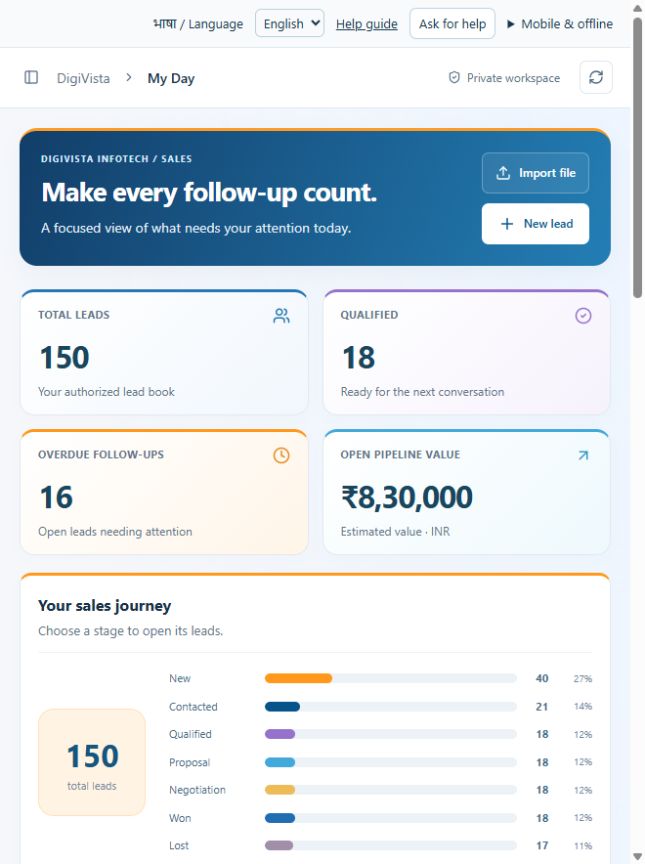
These are real screenshots of the main CRM in a disposable test workspace, captured 10 October 2026. Sample dashboard figures are not your company’s results. Screen arrangement varies with device width.
1. Open My Day
Use the sidebar to open My Day. On a narrow screen, open the sidebar using its menu button.
Select New lead in the page header. The creation form opens without changing existing records.
Benefit: your follow-ups and new enquiries start from one workspace.
2. Enter the essentials
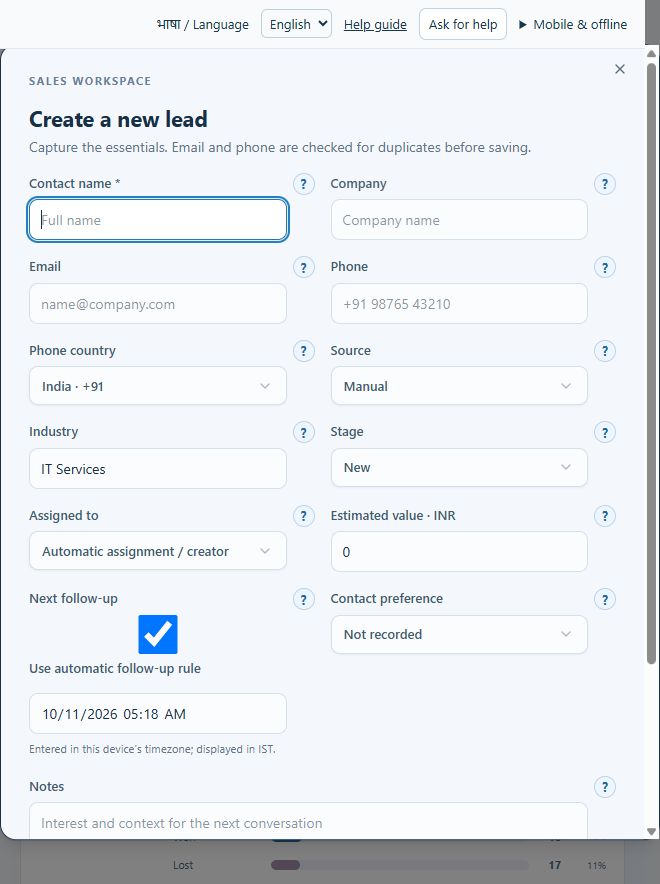
- Name: enter the person’s name. Arrow 1 points to this field.
- Company and contact: enter the company and email or phone. Check spelling and country code.
- Source and stage: record where the enquiry came from. Keep New for a fresh enquiry.
- Ownership: choose a responsible person, or use automatic assignment when a configured rule applies.
- Next action: confirm the follow-up date or use the automatic rule. Arrow 2 points to this area.
- Contact preference: record permission evidence in Notes when applicable. A preference selection alone is not legal consent verification.
3. Save and verify
Scroll within the form to its actions and select Create lead. Wait for the success message. Open Leads, search for the new name and confirm company, owner, stage and follow-up. Refresh and confirm the saved record remains.
If saving fails: read the validation message, check the contact method and duplicate match, and correct the field. Do not repeatedly create the same enquiry. Cancel closes the form without saving.
Expected result: one saved lead with its responsible person and next action. This tutorial does not send email or WhatsApp messages.
Duplicate and update conflict help · Import several leads instead