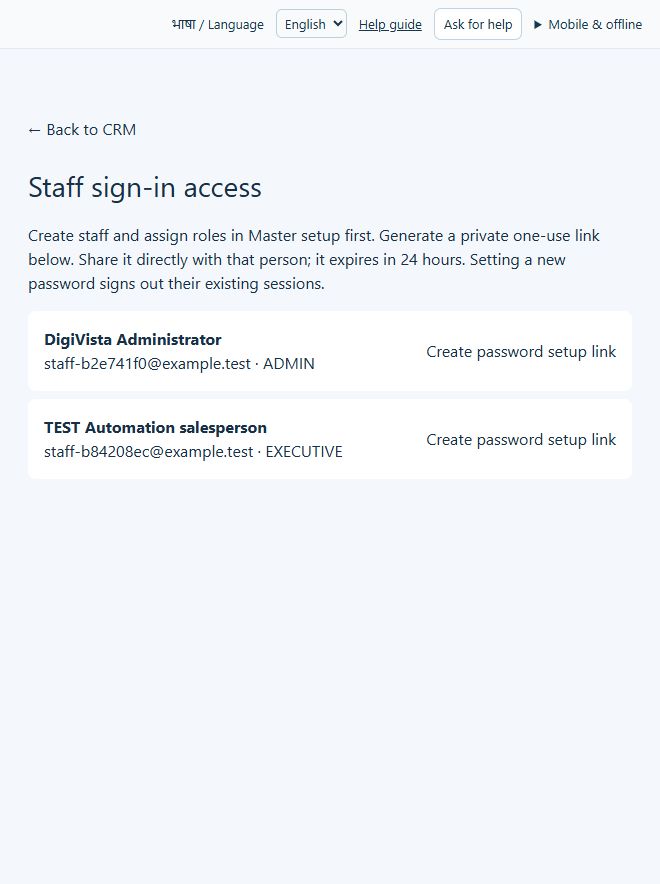
Staff sign-in access
Give approved staff a private password-setup route.
Sign in with your own approved account. Open Staff sign-in access through the sidebar or Master setup. Some actions require administrator/manager permission. Screens use anonymized test data; sample totals are not your company results.
What to do
- Create the approved staff member and role first.
- Choose Create password setup link only for the intended person.
- Share the one-use link privately with that person; it expires in 24 hours. Have them set their own password.
Check the result
The person can complete their own sign-in setup. A reset invalidates existing sessions; do not publish or screenshot generated links.
Screen markers
- 1. ← Back to CRM
- 2. Create password setup link
- 3. Create password setup link
On narrow screens, scroll to reach the remaining form fields and actions. Close help to return to your unfinished form.
Why and how this activity works
Open Team & settings as an administrator and review the staff list. Add an approved staff name, email and role. Configure reporting relationships in Team hierarchy and role/access changes in Data & privacy. Arrange production sign-in separately. Each staff member needs their own approved login; adding a CRM staff row alone does not grant hosting access.
हिन्दी में समझें
एडमिन Team & settings में कर्मचारी सूची देखे। मंज़ूर नाम, ईमेल और भूमिका जोड़ें। मैनेजर Team hierarchy में और अनुमति Data & privacy में तय करें। लाइव लॉगिन अलग चालू करें। कर्मचारी रिकॉर्ड जोड़ने से होस्टिंग की अनुमति नहीं मिलती।
If something is missing or fails
Check role access, selected record and filters. Read validation errors before retrying. For a conflicting edit, refresh and review the current record. A saved setting does not prove a provider connection is active.
Full topic and field help · All screen guides · Learning centre