Items & services
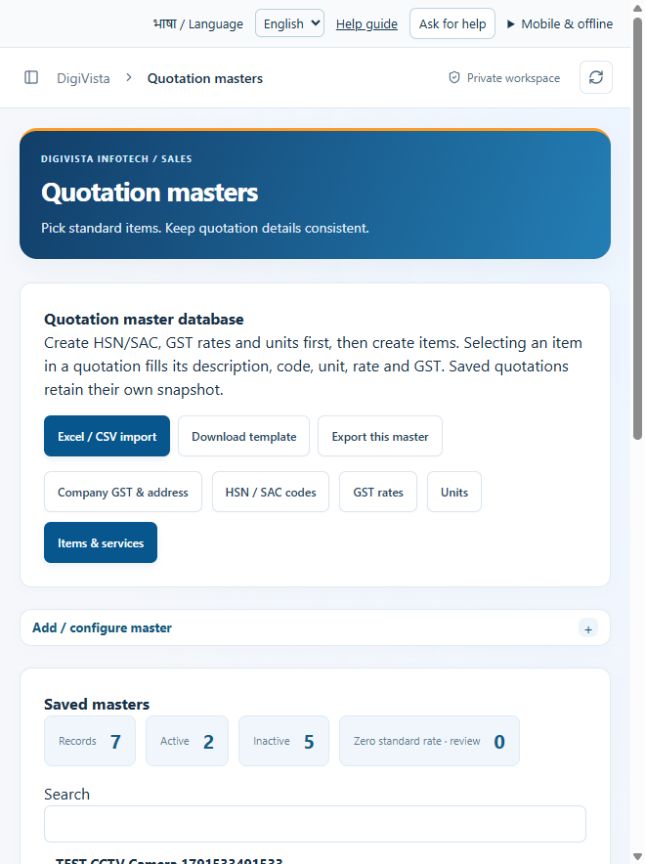
Fill quotation line details from the item database.
Sign in with your own approved account. Open Items & services through the sidebar or Master setup. Some actions require administrator/manager permission. Screens use anonymized test data; sample totals are not your company results.
What to do
- Ensure the required HSN/SAC, GST rate and unit masters are active.
- Add an item with unique code, name, standard description, unit, rate and GST selection.
- Save and choose the item in a new quotation; verify the filled values before approval.
Check the result
The selected item fills its description, code, unit, rate and GST while keeping the quote editable before approval.
Screen markers
- 1. Excel / CSV import
- 2. Download template
- 3. Export this master
On narrow screens, scroll to reach the remaining form fields and actions. Close help to return to your unfinished form.
Why and how this activity works
Open Master setup at the top of the sidebar. Items, HSN & GST masters includes Company GST & address, HSN/SAC codes, GST rates, units and items/services. Configure codes, taxes and units before items. Admins can use templates and reviewed imports for these masters. Other master pages manage customer companies, staff, reporting managers, services and industry fields. Role permissions determine available actions. Saved quotations retain their own commercial snapshot.
हिन्दी में समझें
Master setup में Company GST और address, HSN/SAC, GST rates, units और items/services हैं। पहले code, tax और unit बनाएँ, फिर item। Admin templates और reviewed import उपयोग कर सकते हैं। Saved quotations की पुरानी commercial details सुरक्षित रहती हैं।
If something is missing or fails
Check role access, selected record and filters. Read validation errors before retrying. For a conflicting edit, refresh and review the current record. A saved setting does not prove a provider connection is active.
Full topic and field help · All screen guides · Learning centre